

Setting up a powerful and balanced live sound system does not have to be complicated. If you are using two Alto TS112A powered speakers and want to add a subwoofer for deeper, punchier bass, the process is straightforward once you understand signal flow and proper connections. Whether you are a DJ, musician, event organizer, or running sound for small venues, this guide will walk you through everything you need to know to get professional-quality sound.
TLDR: To connect two Alto TS112A speakers with a subwoofer, route your audio source into the subwoofer first, then connect the sub’s high-pass outputs to each TS112A. This ensures the sub handles low frequencies while the tops focus on mids and highs. Use balanced XLR cables for best results and adjust crossover and gain properly. The result is cleaner, louder, and more impactful live sound.
Why Add a Subwoofer to Two Alto TS112A Speakers?
The Alto TS112A is a solid 12-inch powered speaker that delivers clear mids and crisp highs. However, for live music, DJs, or events where bass impact matters, adding a dedicated subwoofer dramatically enhances your overall sound.
Here is what a subwoofer adds to your system:
- Deeper bass response that full-range speakers alone cannot reproduce effectively
- Cleaner mids and highs because the tops are not straining to push low frequencies
- Higher overall volume capacity without distortion
- More professional sound balance for live audiences
Instead of overworking your TS112A speakers, a subwoofer takes over the low-frequency range, allowing each component to focus on what it does best.
What You Will Need
Before you start connecting everything, make sure you have the following:
- 2 x Alto TS112A powered speakers
- 1 x powered subwoofer (preferably with built-in crossover and high-pass outputs)
- 3 x XLR cables (minimum)
- Audio source (mixer, DJ controller, audio interface, etc.)
- Speaker stands for the TS112A speakers
If your subwoofer has stereo outputs, the setup is even simpler and cleaner.
Understanding Signal Flow (The Most Important Step)
The key principle in connecting speakers with a subwoofer is signal flow. You want audio to travel in the correct order:
Audio Source → Subwoofer → Top Speakers (TS112A)
Why this order?
Most powered subwoofers include an internal crossover. This device splits the signal:
- Low frequencies go to the subwoofer
- Mid and high frequencies pass through to the top speakers
This setup ensures each speaker reproduces the frequencies it was designed for.
Step-by-Step Connection Guide
Step 1: Connect Your Audio Source to the Subwoofer
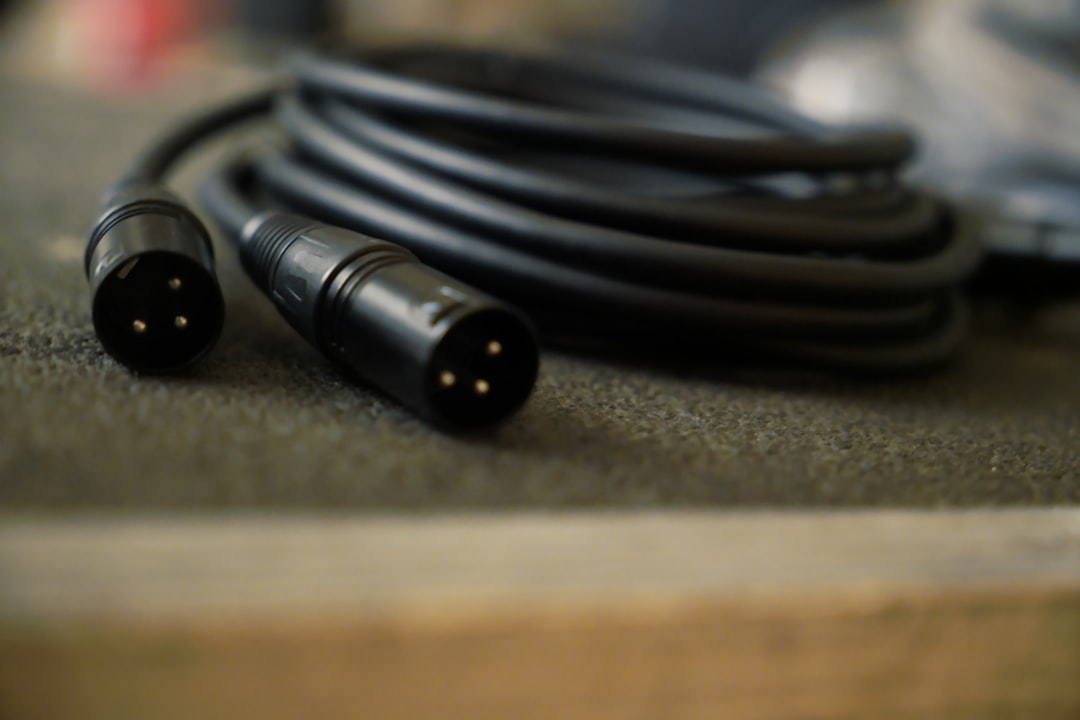
Take your mixer or DJ controller main outputs and connect them to the subwoofer inputs using XLR cables.
- If your source has Left and Right outputs, connect both.
- If you only have one output, connect to the sub’s mono input (if available).
Step 2: Connect Subwoofer Outputs to Both TS112A Speakers
Next, use two XLR cables:
- Connect the subwoofer’s Left High Pass Output to the left TS112A
- Connect the subwoofer’s Right High Pass Output to the right TS112A
This ensures that the TS112A speakers receive a filtered signal without deep bass frequencies.
Step 3: Power On in the Correct Order
To avoid loud pops or damage:
- Turn on your mixer or audio source first
- Turn on the subwoofer second
- Turn on the TS112A speakers last
When shutting down, reverse this order.
Visual Wiring Overview
This simple routing ensures balanced frequency distribution and protects your equipment from unnecessary strain.
Setting the Crossover Correctly
If your subwoofer has an adjustable crossover, you will typically want to set it between 80Hz and 120Hz.
- 80Hz – Tighter, more professional sound (great for live bands)
- 100Hz – Balanced for most events
- 120Hz – More bass emphasis (common for DJ setups)
A good starting point is 100Hz. From there, adjust based on the room and event type.
Gain Staging for Clean Sound
Connecting everything correctly is only half the battle. Proper gain staging ensures your system sounds powerful but clean.
Follow these guidelines:
- Start with all speaker and sub gains at 50%
- Adjust mixer master level to proper operating range (avoid clipping)
- Raise subwoofer level until bass sounds full but not muddy
- Fine-tune individual TS112A levels if necessary
If the bass overwhelms vocals or instruments, lower the sub slightly instead of increasing the tops.
Placement Tips for Best Results
Speaker placement dramatically affects performance.
Subwoofer Placement
- Place it on the ground (never elevated)
- Center stage for even bass distribution
- Against a wall for slightly boosted low end
TS112A Placement
- Mount on speaker stands
- Position slightly above head level
- Angle toward the audience, not walls
Proper placement reduces feedback and improves clarity.
Alternative Connection Methods
While routing through the subwoofer is recommended, there are alternative methods depending on your equipment.
Method 1: Using Mixer AUX Output for Sub
This method gives more control but requires crossover management:
- Main outputs → TS112A speakers
- AUX output → Subwoofer
Note: Only use this method if you fully understand frequency routing.
Method 2: Daisy Chaining Without Sub Crossover
This is not ideal but possible:
- Mixer → TS112A
- TS112A link output → Sub
The downside? No proper frequency separation unless the sub independently filters signal.
Connection Method Comparison
| Method | Sound Quality | Ease of Setup | Recommended? |
|---|---|---|---|
| Source → Sub → Tops | Excellent frequency separation | Very Easy | Yes |
| Main to Tops, AUX to Sub | High control, complex setup | Moderate | For experienced users |
| Daisy Chain Speakers | Limited frequency separation | Easy | Not ideal |
Common Mistakes to Avoid
Even experienced users make these errors:
- Using unbalanced cables for long runs (causes noise)
- Running tops full range with sub without crossover filtering
- Setting sub level too high, creating muddy sound
- Poor speaker placement leading to dead zones
- Powering on speakers before mixer
Avoiding these alone can dramatically improve your live sound clarity.
Fine-Tuning for Different Events
Each event type may require adjustments:
DJ Events
- Stronger sub level
- Crossover around 100–120Hz
Live Bands
- Tighter crossover (80–100Hz)
- Balanced sub level
Corporate or Speaking Events
- Minimal sub use
- Focus on vocal clarity
Your ears are the final judge. Walk around the venue during soundcheck and listen for uneven bass or harsh highs.
Final Thoughts
Connecting two Alto TS112A speakers with a subwoofer is one of the most effective upgrades you can make to your live sound system. By routing your signal through the subwoofer first, setting a proper crossover, and carefully adjusting gain levels, you create a system where:
- The sub handles the rumble and punch
- The TS112A speakers deliver crisp mids and highs
- Your audience experiences full, balanced sound
The process is simple, but the improvement is dramatic. With proper setup and careful tuning, your small PA system can sound far more powerful and professional than its size suggests.
Great live sound is not just about volume — it is about clarity, balance, and intelligent configuration. And now you know exactly how to achieve it.
