

The Federal Bureau of Investigation has warned users about a rise in advanced phishing attacks that target people who use Gmail. These scams feel real. Messages sound human. Some even reference recent sign-ins or security checks. Many users wonder if Gmail itself was breached. It was not.
This article explains what the FBI warning means, how AI-driven phishing works, why Gmail users are targeted, and what steps help keep a Google Account safe.
Did the FBI Really Issue a Warning?
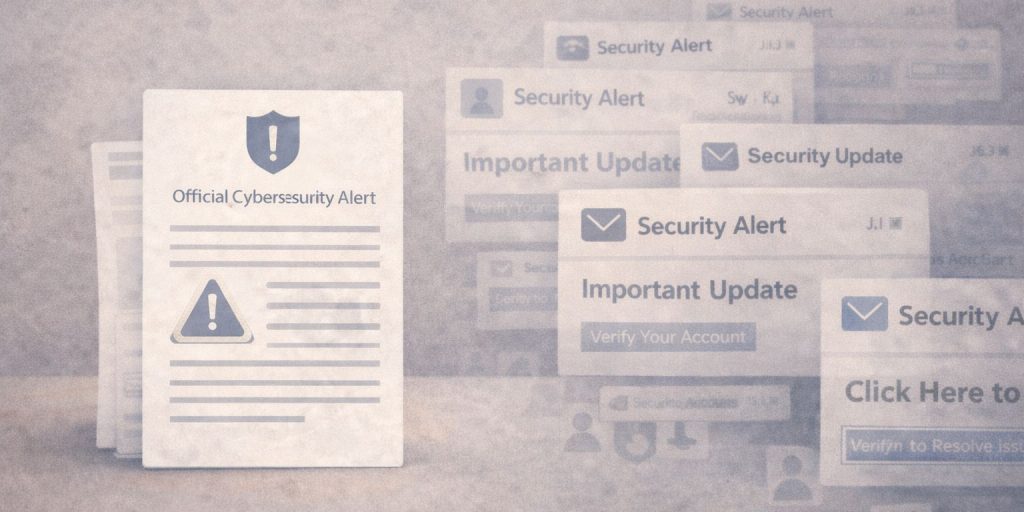 Yes. The FBI issued a public warning about phishing campaigns that use artificial intelligence to trick users into giving away login details. The warning focuses on scams that impersonate trusted brands, including Google and Gmail.
The FBI’s goal is prevention. These attacks do not rely on breaking into Gmail servers. They rely on social tricks that push people to act fast and share information.
Why Gmail Users Are Being Targeted
Gmail has a huge user base. That makes it attractive to scammers. A single successful account takeover can expose emails, saved contacts, and linked services.
Attackers also know that people trust messages that appear to come from Google. When a message looks official and uses correct language, users are more likely to respond. This trust factor is what scammers try to copy.
What Makes These Phishing Attacks AI-Driven?
Traditional phishing emails often contain spelling errors and strange wording. AI-driven phishing is different.
These attacks use tools that generate natural sentences. They adjust tone. They respond to replies. Some messages even change based on how a user reacts. This makes the scam feel like a real support conversation.
AI helps attackers:
- Write clear and calm messages
- Match Google-style language
- Customize messages for timing and context
- Avoid common spam filters
How AI Phishing Differs From Older Email Scams
Older scams were easy to spot. Many had broken grammar or generic threats. AI-driven phishing blends in.
Key differences include:
- Messages read like human support replies
- Fewer spelling or grammar mistakes
- References to security events or device changes
- Better timing, often right after real sign-ins
Because of this, users may doubt their own judgment. That doubt is what attackers want.
Beyond Email: Phone Calls and Voice Scams
The FBI warning also covers phone-based scams. This is known as vishing.
Some attackers use deepfake voice tools to copy human speech patterns. Calls may claim to be from Google support. The caller may sound calm and helpful.
Google does not call users to ask for passwords or verification codes. Any call that does this is a scam.
Signs a Gmail Message Might Be an AI Phishing Scam
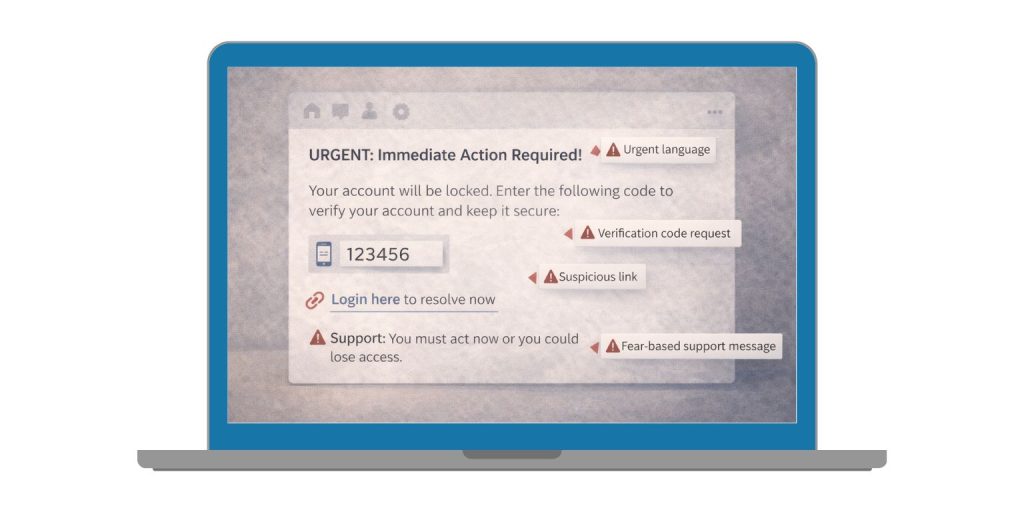 Not every scam looks the same, but patterns exist.
Watch for:
- Requests for verification codes
- Pressure to act quickly
- Links that do not lead to Google domains
- Messages asking to confirm identity outside your account
- Support offers that start with fear
If a message creates panic, pause. Real Google alerts allow time to review.
What the FBI Advises Gmail Users to Do
The FBI recommends clear steps to reduce risk.
- Do not share passwords or one-time codes
- Verify alerts by opening a new browser tab
- Avoid clicking links in unexpected messages
- Report phishing attempts through email tools
- Monitor account activity regularly
These steps reduce the chance of account loss.
How Google Helps Protect Gmail Accounts
Google uses multiple layers of protection across Gmail.
These include:
- Spam and phishing filters
- Login behavior checks
- Device and location monitoring
- Account recovery safeguards
Google blocks most threats before users see them. Still, some scams rely on human action, not system flaws.
How to Secure Your Google Account Against AI Phishing
Users can add extra protection with simple actions.
- Enable 2-Step Verification to block access even if a password leaks.
- Use passkeys where available.
- Review sign-in activity in account settings.
- Run the Security Checkup.
- Remove unknown browser extensions.
These steps work well against both email and phone scams.
Final Thoughts: AI Phishing Is Smarter, But You Can Stay Safe
The FBI warning does not mean Gmail was hacked. It means scams are getting smarter. AI helps attackers sound real, but it does not remove the warning signs.
Stay cautious. Verify alerts directly. Protect your account with strong security settings. If this article helped, share it with others and leave a comment about the messages you have seen.
