

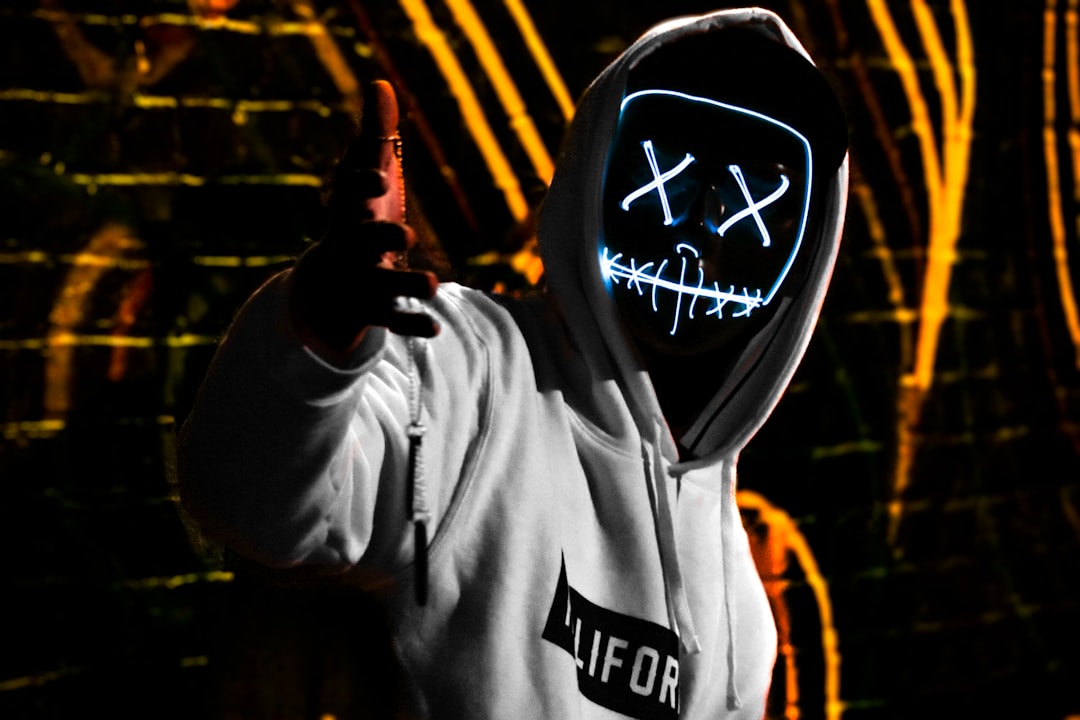
The best tool stack for branded hoodies and custom clothing is Adobe Illustrator for production artwork, Canva or Kittl for fast concepts, and Printful or Printify for mockups, samples, and fulfillment. That mix covers most teams, from small merch drops to polished retail-style apparel. The custom T-shirt printing market was valued at over $5 billion, which shows why better design tools now matter for even small clothing brands [source: Grand View Research].
TLDR: A small brand can start with Canva for layout, move the final logo into Adobe Illustrator, and test hoodie mockups in Printful. For example, a local gym planning a 100-piece hoodie drop could create three concepts in one afternoon, order two samples, and approve the strongest version before spending hundreds on inventory. Teams that want higher-end streetwear graphics should add Kittl, Procreate, or Affinity Designer for more original artwork. The fastest path is simple: design clean files, preview them on real garments, then sample before selling.
1. Adobe Illustrator: Best for professional apparel artwork
Adobe Illustrator is still the safest choice for serious branded clothing. It creates vector files, which means logos, text, badges, and sleeve prints can scale without becoming blurry. That matters on hoodies, where artwork may stretch across a large chest panel or wrap around the back.
Illustrator is best for:
- Brand logos and wordmarks
- Screen printing separations
- Embroidery files that need clean source artwork
- Neck labels, hang tags, and packaging graphics
The catch is that Illustrator takes patience. A beginner may spend 20 extra minutes just finding the right export settings. Still, print shops often prefer AI, EPS, PDF, or SVG files, so Illustrator saves trouble later.

2. Canva: Best for quick branded hoodie concepts
Canva is ideal for teams that need speed. A coffee shop, school club, podcast, or event team can build hoodie ideas without hiring a designer first. It has templates, fonts, icons, and simple mockup tools. That makes it useful for early planning and social media previews.
Canva works well for:
- Simple chest logos
- Event hoodies
- Staff uniforms
- Merch preview images
It is not perfect for complex production work. Some designs look good on screen but need cleanup before printing. Small text can also become a problem on fleece. A reliable rule is simple: if the design cannot be read from six feet away, it needs revision.
3. Kittl: Best for vintage, streetwear, and bold merch graphics
Kittl is a strong pick for brands that want bold typography, retro graphics, badge logos, mascots, or streetwear-style layouts. It gives designers a faster way to create artwork that feels more custom than a standard template.
It fits hoodie design well because hoodies often need large visual impact. Back prints, oversized chest graphics, and sleeve marks all benefit from strong type and clear illustration. Kittl also makes it easier to create distressed effects, curved lettering, and badge compositions.
Honestly, it feels like some apparel design tools hide the best type controls three menus deep. Kittl is less annoying here. Designers can test several headline styles quickly and keep the strongest one.
4. Affinity Designer: Best Adobe alternative
Affinity Designer is a smart choice for designers who want professional vector tools without a recurring subscription. It handles logos, apparel graphics, typography, and print-ready exports. It is especially useful for small brands that want to control costs.
Affinity Designer supports both vector and raster workflows. That helps when a hoodie design includes sharp text plus textured artwork. It also feels fast on many computers, which matters when working with large back prints or multi-layer files.
For print shops, the main concern is file compatibility. Designers should export clean PDF, SVG, EPS, or high-resolution PNG files and confirm the preferred format before sending final artwork.
5. Procreate: Best for hand-drawn clothing graphics
Procreate is excellent for illustrators using an iPad. It suits hand-drawn mascots, graffiti marks, character art, sketches, and textured graphics. A hoodie with a unique illustrated back print often starts here.
Procreate is raster-based, so canvas size matters. Designers should start large, often at 300 DPI, with the final print dimensions in mind. Upscaling later can produce soft edges. For logos and text, artwork made in Procreate may need to be refined in Illustrator or Affinity Designer.

6. Figma: Best for team review and brand systems
Figma is not a traditional apparel design tool, but it is useful for organized teams. It helps keep hoodie designs, brand colors, logo versions, campaign notes, and feedback in one place. For agencies or in-house marketing teams, that can prevent messy file sharing.
Figma is best used before production. Teams can compare colorways, plan a merch capsule, and collect comments from managers or clients. It is less ideal for final print files, so the finished artwork should still move into Illustrator, Affinity Designer, or another production-ready tool.
7. Printful and Printify: Best for mockups and print on demand
Printful and Printify help turn hoodie artwork into sellable products. Both offer product catalogs, design placement tools, mockups, and order fulfillment options. They are useful for shirts, hoodies, sweatpants, hats, tote bags, and other custom clothing.
These platforms are best for:
- Testing a merch idea without bulk inventory
- Creating product mockups for an online store
- Ordering samples before a larger run
- Running small influencer or community drops
Expect to waste time on sample testing if color accuracy matters. A deep black design on screen may print closer to charcoal on certain fabrics. Hoodies also vary in thickness, stitching, and print area. Samples are not optional for serious branded clothing.
8. Placeit: Best for lifestyle mockups
Placeit is helpful for showing custom hoodies on models, in streetwear scenes, or in lifestyle settings. It works well for product pages, ads, and launch posts. A flat mockup is useful, but a hoodie shown on a person often sells the idea better.
Designers should avoid relying only on mockups, though. Mockups can make prints look smoother and more centered than real garments. They are great for marketing, not final approval.

9. Pantone Connect: Best for color planning
Pantone Connect helps teams choose and communicate color more clearly. This is useful when a brand color must stay consistent across hoodies, T-shirts, labels, and packaging. Color shifts are common when moving from screen to fabric, so a shared reference helps.
For screen printing and embroidery, designers should ask the vendor how colors are matched. For direct-to-garment and direct-to-film printing, fabric color and ink behavior can affect the result. A navy hoodie and a white hoodie may not show the same red in the same way.
How to choose the right tool
A team should pick tools based on the job, not hype. A simple staff hoodie does not need a complex illustration workflow. A premium streetwear drop probably does.
- Best beginner setup: Canva plus Printful
- Best professional setup: Illustrator plus Photoshop or Procreate
- Best budget setup: Affinity Designer plus Printify
- Best streetwear setup: Kittl plus Illustrator
- Best team setup: Figma plus Illustrator
The final file should match the print method. Screen printing often needs clean vector art and separated colors. DTG works well with full-color images. DTF handles bright graphics on many fabrics. Embroidery requires simple shapes, thicker lines, and limited tiny detail.
FAQ
What is the best tool for designing branded hoodies?
Adobe Illustrator is the best overall tool for professional hoodie artwork because it creates clean vector files. For beginners, Canva is easier and faster.
Can Canva designs be used for custom clothing?
Yes, Canva designs can be used, especially for simple merch. The final file should be high resolution, and small text should be checked before printing.
What file format is best for hoodie printing?
Vector formats such as AI, EPS, SVG, and PDF are best for logos and text. High-resolution PNG files can work for DTG or DTF printing.
Should a brand order samples before selling hoodies?
Yes. Samples help check fabric quality, print size, color, placement, and comfort. They can prevent expensive mistakes.
Which tool is best for streetwear graphics?
Kittl, Procreate, and Illustrator make a strong mix for streetwear. Kittl helps with bold type, Procreate supports original drawing, and Illustrator prepares final artwork.
