

Building a Software-as-a-Service (SaaS) platform or web application once required deep technical expertise, significant funding, and a full development team. Today, no-code platforms have transformed the landscape, allowing entrepreneurs, startups, and enterprises to design, launch, and scale digital products without writing code. While Bubble remains one of the most recognized no-code tools, a growing ecosystem of alternatives offers powerful features tailored to different needs, from marketplaces and internal tools to mobile apps and complex workflows.
TLDR: No-code platforms like Bubble allow users to build SaaS and web apps without programming skills. Alternatives such as Webflow, Adalo, Glide, OutSystems, and Softr provide specialized features for different use cases, from mobile apps to enterprise systems. Choosing the right platform depends on scalability, customization, integrations, and performance needs. Evaluating tools carefully ensures long-term success and smoother product growth.
No-code development platforms use visual interfaces, drag-and-drop builders, and pre-configured logic systems to create functional digital products. For founders who want to validate ideas quickly, agencies building client projects, or enterprises prototyping internal systems, these tools drastically reduce time-to-market and development costs.

Why Consider Alternatives to Bubble?
Bubble is powerful, but it may not be ideal for every use case. Some users find its learning curve steep due to its robust workflow logic. Others require more design freedom, stronger mobile capabilities, enterprise-grade scalability, or simpler backend integration. As a result, exploring other platforms can help teams find a better fit for their goals.
Key reasons users look beyond Bubble include:
- Mobile-first development needs
- Stronger design flexibility
- Built-in enterprise scalability
- Simpler pricing structures
- Faster MVP validation tools
Top Apps Like Bubble for Building SaaS and Web Apps
1. Webflow
Best for design-focused web applications and marketing-driven SaaS platforms.
Webflow offers advanced visual web design combined with CMS functionality. While it is more design-oriented than Bubble, it can power dynamic applications when paired with automation tools like Zapier or Memberstack. SaaS founders often use Webflow for front-end experiences and integrate backend services separately.
Key Features:
- Highly customizable responsive design
- Built-in CMS
- SEO optimization tools
- Extensive template marketplace
Limitations: Not a full backend system by itself; often requires third-party integrations.
2. Adalo
Best for mobile and simple SaaS apps.
Adalo focuses on building native mobile apps and web apps with intuitive components. It is particularly useful for startups aiming to launch MVPs quickly on iOS and Android without hiring developers.
Key Features:
- Drag-and-drop interface
- Native mobile publishing
- Custom database support
- Payment integrations
Limitations: Less suitable for highly complex web applications.
3. Glide
Best for turning spreadsheets into apps.
Glide allows users to build polished applications powered by Google Sheets or Glide Tables. It is widely used for internal tools, client portals, and lightweight SaaS tools.
Key Features:
- Spreadsheet-driven backend
- Rapid deployment
- Clean, modern UI components
- Role-based permissions
Limitations: Limited advanced customization compared to Bubble.
4. Softr
Best for client portals and membership platforms.
Softr integrates seamlessly with Airtable and Google Sheets to create web apps and portals. It is ideal for startups building marketplace directories, internal dashboards, or gated content platforms.
Key Features:
- Prebuilt blocks and templates
- Membership functionality
- Strong Airtable integration
- Quick setup
Limitations: Customization depth is lower than Bubble.

5. OutSystems
Best for enterprise-grade applications.
OutSystems blends low-code and no-code capabilities to deliver scalable enterprise solutions. While more complex than other platforms, it provides robust infrastructure for large organizations.
Key Features:
- Enterprise security standards
- Scalability and performance optimization
- Integration with legacy systems
- AI-assisted development tools
Limitations: Higher pricing; not ideal for small startups.
6. Backendless
Best for backend-heavy applications.
Backendless is a visual app development platform with strong backend capabilities. It provides real-time databases, user management, and API services, making it suitable for complex SaaS systems.
Key Features:
- Visual logic builder
- Real-time database
- API and user management tools
- Cloud hosting
Limitations: User interface design tools are less advanced.
Comparison Chart
| Platform | Best For | Mobile Support | Scalability | Customization | Ease of Use |
|---|---|---|---|---|---|
| Bubble | Full SaaS web apps | Web-based | High | Very High | Moderate |
| Webflow | Design-first web apps | Responsive Web | Medium | High | Moderate |
| Adalo | Mobile MVPs | Native iOS and Android | Medium | Medium | Easy |
| Glide | Internal tools | Mobile friendly | Medium | Low to Medium | Very Easy |
| Softr | Client portals | Responsive Web | Medium | Medium | Easy |
| OutSystems | Enterprise apps | Web and Mobile | Very High | High | Complex |
| Backendless | Backend systems | Web and Mobile | High | High | Moderate |
Factors to Consider When Choosing a No-Code Platform
While features vary, selecting the right tool requires strategic consideration. Businesses should evaluate the following:
- Project Complexity: Simple marketplaces differ greatly from workflow-heavy SaaS dashboards.
- Scalability Needs: Longer-term growth may require enterprise-level infrastructure.
- Integrations: Payment gateways, CRMs, APIs, and automation tools are critical for SaaS products.
- Performance and Hosting: Speed, uptime reliability, and server flexibility matter.
- Pricing Model: Subscription costs can increase as users grow.
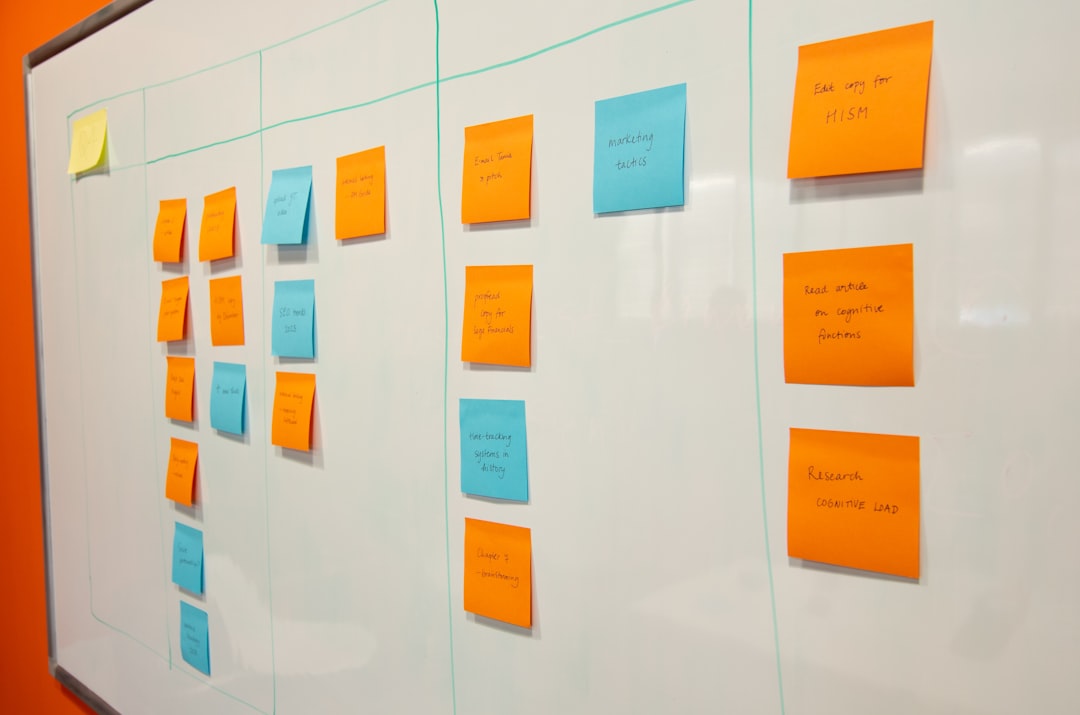
In many cases, successful founders begin with a simpler platform to validate their idea. Once revenue grows, they either scale within that ecosystem or migrate to more advanced solutions. Some teams combine tools—for example, using Webflow for frontend design and Backendless for backend logic.
The Future of No-Code SaaS Development
No-code tools are evolving rapidly. Artificial intelligence integration, automated workflows, and built-in analytics are becoming standard features. As these platforms mature, the distinction between traditional coding and visual development continues to blur.
For entrepreneurs, the implications are significant. Faster iteration cycles mean new ideas can be tested in days rather than months. Lower upfront costs reduce financial risk. Meanwhile, enterprises gain flexibility by empowering non-technical departments to build internal applications independently.
However, thoughtful planning remains essential. Even without code, product strategy, user experience design, and scalability planning determine long-term success. No-code platforms are tools—not shortcuts for poor product management.
Frequently Asked Questions (FAQ)
1. Are no-code platforms suitable for building serious SaaS products?
Yes, many SaaS businesses run entirely on no-code or low-code platforms. However, the suitability depends on app complexity, performance requirements, and long-term scalability plans.
2. Can a no-code app scale to thousands of users?
Many modern platforms support significant scaling. Enterprise-oriented tools like OutSystems offer high scalability, while others may require infrastructure upgrades as usage grows.
3. What is the difference between no-code and low-code?
No-code platforms require no programming knowledge, relying entirely on visual interfaces. Low-code tools allow optional coding for customization and advanced functionality.
4. Is it possible to migrate from a no-code platform later?
Migration is possible but may require rebuilding parts of the application. Businesses should consider data export capabilities and integration flexibility early on.
5. Which platform is best for beginners?
Glide and Softr are often the easiest for beginners due to their intuitive interfaces and templated designs.
6. Do no-code apps support payment systems?
Yes, most platforms integrate with payment providers such as Stripe and PayPal, making subscription-based SaaS models achievable without custom code.
The no-code revolution continues to democratize software development. Whether launching a startup, building an internal dashboard, or validating a product idea, platforms like Bubble and its alternatives provide accessible pathways to digital innovation. By choosing the right tool for specific goals, teams can accelerate development and bring powerful SaaS applications to market faster than ever before.
