

As businesses continue to adapt to hybrid and fully remote work models, the way employees access their desktops, applications, and data has fundamentally changed. Traditional desktop setups tied to physical office equipment are no longer sufficient for organizations that require flexibility, scalability, and strong security controls. This is where Virtual Desktop Infrastructure (VDI) becomes a strategic solution.
TL;DR: A VDI desktop is a virtualized desktop environment hosted on centralized servers instead of individual physical computers. It allows employees to securely access their work environment from virtually any device. Businesses use VDI to improve security, simplify IT management, reduce hardware dependency, and support remote or hybrid teams. Properly implemented, VDI enhances control, scalability, and operational efficiency.
What Is a VDI Desktop?
A VDI desktop (Virtual Desktop Infrastructure desktop) is a virtual machine that runs a desktop operating system (such as Windows or Linux) hosted on a centralized server. Instead of processing data and applications locally on a physical PC, the desktop runs inside a data center or cloud environment and is delivered to users over a network.
When an employee logs in, they connect to a virtual desktop that behaves just like a traditional computer. They can:
- Open applications
- Access files
- Use company software
- Customize settings (depending on configuration)
However, the key difference is that the computing power and data storage reside in a centralized infrastructure—not on the employee’s device.
How Virtual Desktop Infrastructure Works
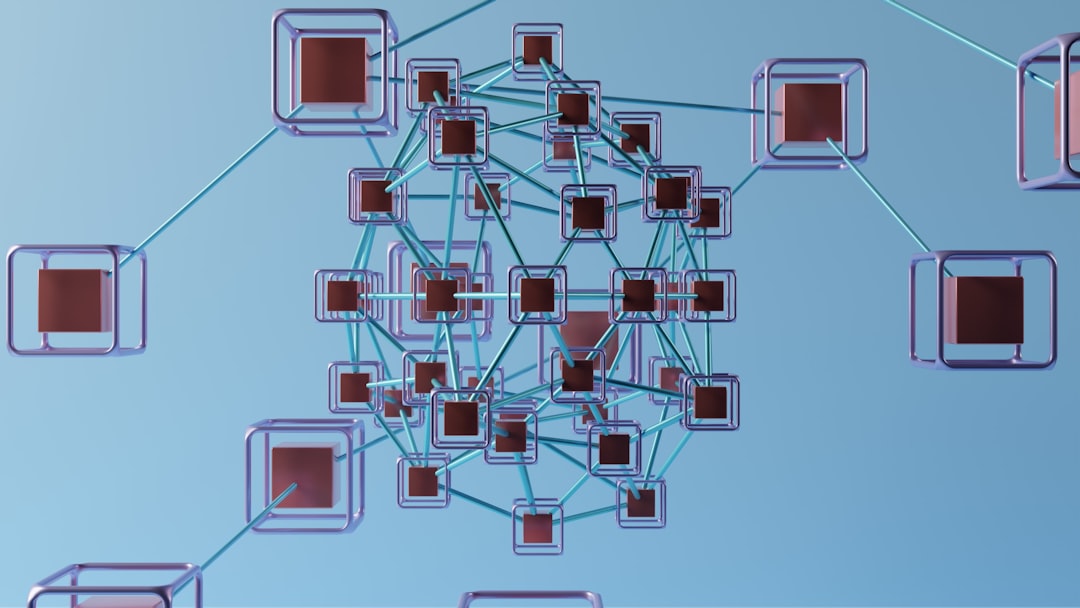
At its core, VDI uses virtualization technology to create and manage multiple simulated desktops on a centralized server. Here’s how the process typically works:
- Central Server Hosting: A data center or cloud provider hosts high-performance servers running a hypervisor.
- Hypervisor Layer: The hypervisor creates and manages multiple virtual machines (VMs), each functioning as an individual desktop.
- User Access: Employees connect to their assigned virtual desktop through a secure client app or web portal.
- Remote Display Protocol: The screen is streamed to the user’s device, while keyboard and mouse inputs are sent back to the server.
This setup ensures that sensitive data never has to reside on endpoint devices such as laptops, tablets, or personal home computers.
Key Components of a VDI Environment
A robust VDI deployment typically includes the following technical components:
- Hypervisor: Software that enables virtualization (e.g., VMware ESXi, Microsoft Hyper-V).
- Connection Broker: Manages user authentication and assigns virtual desktops.
- Centralized Storage: Houses operating systems, applications, and user data.
- Security Controls: Encryption, identity management, and access policies.
- Endpoint Devices: Thin clients, laptops, tablets, or even personal computers.
This architecture centralizes management while distributing user access across geographic locations.
Types of VDI Desktops
Not all VDI environments are identical. Businesses typically choose between two primary models:
1. Persistent VDI
With persistent desktops, users receive a dedicated virtual desktop that retains personalized settings and installed applications. It functions much like a traditional PC. This model is often used for:
- Developers
- Engineers
- Power users
2. Non-Persistent VDI
Non-persistent desktops reset after each session. Users access a standardized desktop image that returns to a base configuration when they log out. This approach is commonly used in:
- Call centers
- Healthcare facilities
- Training environments
Non-persistent environments simplify management and reduce storage requirements.
Benefits of VDI for Businesses
Organizations adopt VDI for strategic reasons that go beyond remote access. The benefits are both operational and financial.
1. Enhanced Security
Since data is stored centrally rather than on local devices, the risk of data loss from stolen or compromised hardware is significantly reduced. Additional security advantages include:
- Centralized patch management
- Role-based access control
- Data encryption
- Simplified compliance auditing
2. Support for Remote and Hybrid Work
VDI enables employees to securely log in from nearly any location. This flexibility supports:
- Remote teams
- Contractors and part-time staff
- Business continuity during disruptions

3. Centralized IT Management
IT departments can maintain and update virtual desktops from a single location. Instead of patching hundreds of devices individually, administrators update a master image.
This reduces:
- Downtime for updates
- Manual configuration errors
- Operational complexity
4. Cost Optimization Over Time
While VDI requires an upfront infrastructure investment, organizations can reduce long-term costs by:
- Extending hardware life cycles
- Using thin clients instead of full desktops
- Reducing on-site IT support needs
5. Scalability
As staff numbers change, companies can quickly provision or de-provision desktops. This is especially valuable for seasonal businesses or companies experiencing rapid growth.
Common VDI Use Cases
VDI is used across industries for various reasons:
- Healthcare: Secure patient data access from multiple workstations.
- Finance: Regulatory compliance and controlled access environments.
- Education: Computer labs with consistent configurations.
- Manufacturing: Access to enterprise systems from factory floors.
- Call Centers: Rapid employee onboarding with standardized desktops.
Each scenario leverages VDI’s centralized model to increase oversight and control.
VDI vs. Traditional Desktops
To understand its value, it is helpful to compare VDI against conventional desktop setups.
| Feature | Traditional Desktop | VDI Desktop |
|---|---|---|
| Data Storage | Local hard drive | Centralized server or cloud |
| Security Risk | Higher if device lost | Lower due to centralized control |
| IT Management | Device-by-device updates | Centralized image management |
| Remote Access | Requires VPN or special setup | Built for remote access |
| Scalability | Limited by hardware purchases | Rapid provisioning of virtual machines |
Challenges and Considerations
Despite its advantages, VDI is not without challenges. Businesses must evaluate several factors before deployment.
1. Initial Investment
High-performance servers, storage systems, and virtualization software licenses can be costly. Cloud-based VDI may reduce capital expenditures but increases operational costs.
2. Network Dependency
VDI performance heavily depends on network speed and reliability. Poor connectivity can lead to latency and reduced productivity.
3. User Experience
Graphics-intensive applications or high-performance computing tasks may require specialized GPU-enabled infrastructure.
4. Implementation Complexity
Designing, deploying, and maintaining a VDI environment requires virtualization expertise. Improper planning may result in performance bottlenecks.
Cloud-Based VDI vs. On-Premises VDI
Businesses typically choose between:
- On-Premises VDI: Hosted within the organization’s own data center.
- Cloud-Based VDI (DaaS – Desktop as a Service): Hosted by a cloud provider.
On-premises solutions provide more direct control and may suit highly regulated industries. Cloud-based solutions offer flexibility, simplified deployment, and predictable subscription pricing.
Decision factors often include:
- Compliance requirements
- Budget structure
- Existing infrastructure
- In-house IT expertise
Is VDI Right for Your Organization?
VDI is particularly well-suited for organizations that:
- Employ remote or hybrid teams
- Handle sensitive data
- Require standardized work environments
- Need scalable onboarding for employees or contractors
However, small businesses with minimal remote needs and limited IT budgets may find traditional cloud SaaS solutions sufficient without full VDI deployment.
The Future of Virtual Desktop Infrastructure
VDI continues to evolve alongside cloud computing, zero-trust security models, and edge computing technologies. Many organizations now integrate VDI into broader digital transformation strategies.
Emerging trends include:
- Integration with zero-trust frameworks
- AI-powered resource optimization
- GPU-enhanced virtual desktops for creative professionals
- Greater reliance on cloud-hosted Desktop as a Service (DaaS)
As workforce expectations shift toward flexibility, secure digital workspaces will remain a strategic priority.
Conclusion
A VDI desktop is more than a technical solution—it is a strategic infrastructure model that supports secure, flexible, and scalable work environments. By centralizing desktop management and separating data from physical devices, businesses gain tighter security, simplified IT operations, and stronger support for remote work.
While implementation requires investment and careful planning, the long-term benefits can be substantial. For organizations seeking structured control over distributed workforces, Virtual Desktop Infrastructure provides a dependable and future-ready foundation.
