

Designing functional, sustainable, and visually compelling spaces requires more than creativity. Today’s interior designers and urban planners rely on sophisticated digital tools to translate ideas into accurate models, data-driven plans, and collaborative workflows. As cities grow more complex and clients demand greater precision, mastering the right architecture software is no longer optional—it is essential for professional success.
TLDR: Interior designers and urban planners depend on a range of digital tools to design, visualize, and manage projects effectively. Software such as AutoCAD, Revit, SketchUp, Rhino, and ArcGIS enables accurate drafting, BIM modeling, parametric design, and spatial analysis. Each tool serves different needs, from detailed construction documentation to large-scale urban data mapping. Choosing the right combination enhances collaboration, efficiency, and long-term project value.
Below are five highly respected architecture tools and applications that consistently deliver measurable value across residential, commercial, and civic projects.
1. AutoCAD
AutoCAD remains one of the most trusted drafting tools in architecture and design. Developed by Autodesk, this software has set the industry standard for 2D drafting and technical documentation for decades.
Interior designers rely on AutoCAD for producing:
- Precise floor plans
- Reflected ceiling plans
- Millwork and cabinetry drawings
- Construction documentation
Urban planners use AutoCAD to develop site layouts, zoning plans, and infrastructure diagrams with high geometric accuracy.
Its primary strength lies in precision and control. Measurements can be defined down to fractions of a millimeter, ensuring compliance with building regulations and construction tolerances. AutoCAD also integrates well with other Autodesk products, making it a foundational tool within larger workflows.
Why it matters: Clean documentation reduces construction errors, improves contractor communication, and lowers project risk. While newer visualization tools exist, AutoCAD remains indispensable for technical accuracy.
2. Autodesk Revit
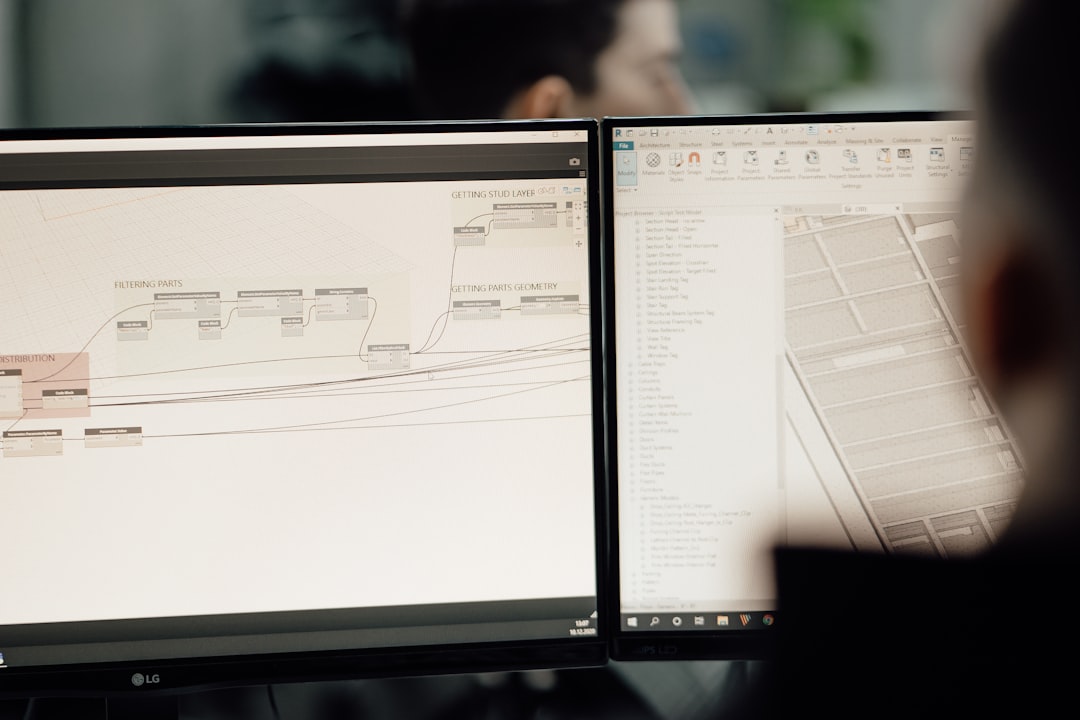
While AutoCAD excels at drafting, Revit moves beyond lines and shapes into the realm of Building Information Modeling (BIM). Revit enables professionals to design intelligent 3D models that include embedded data about materials, structural elements, systems, and costs.
For interior designers, Revit offers:
- Detailed 3D modeling of interior components
- Material schedules and quantity takeoffs
- Integrated lighting and HVAC coordination
- Change management across all views
Urban planners benefit from Revit’s ability to model entire building systems and test how new developments integrate with transportation networks, utilities, and environmental constraints.
A key advantage of BIM is its parametric coordination. When one element changes—such as wall thickness—every related drawing, section, and schedule updates automatically. This reduces inconsistencies and saves significant time during revisions.
Why it matters: Revit supports collaboration among architects, engineers, and planners in real time, making it essential for complex projects with multiple stakeholders.
3. SketchUp
SketchUp is known for its intuitive interface and rapid modeling capabilities. Unlike heavier BIM software, SketchUp allows designers to conceptualize ideas quickly, making it particularly valuable during the early design phases.
Interior designers use SketchUp to:
- Create fast conceptual layouts
- Develop 3D furniture arrangements
- Test lighting conditions
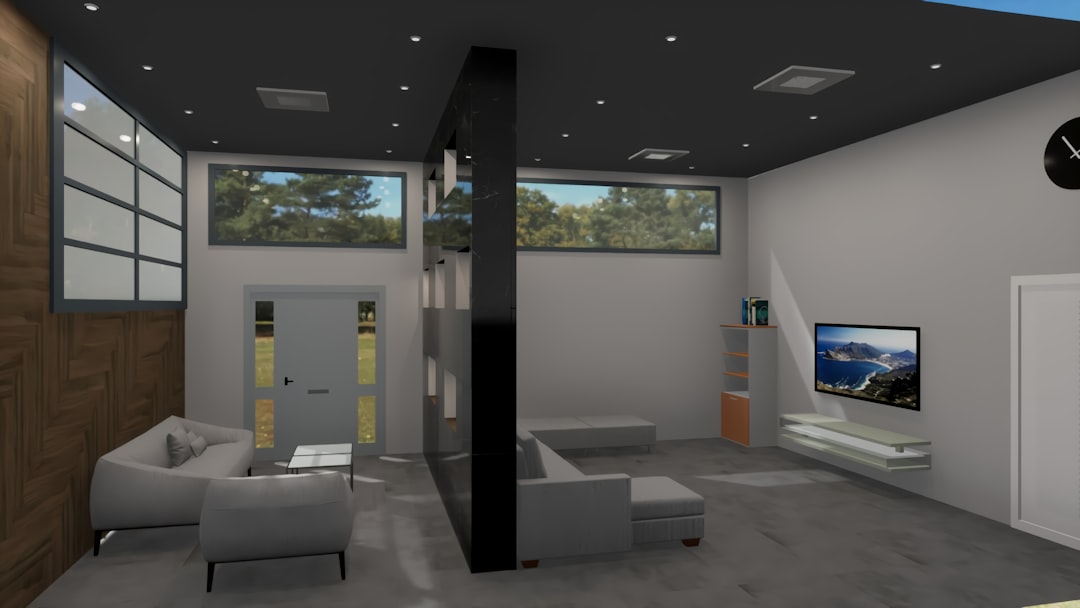
- Present client-ready visualizations
Urban planners often use SketchUp for massing studies and visual impact assessments. The software’s extensive plugin ecosystem—such as rendering engines and environmental analysis extensions—expands its functionality considerably.
Another advantage is its strong compatibility with rendering tools like V-Ray and Enscape, enabling photorealistic presentations that help clients understand proposed designs.
Why it matters: Clear visual communication accelerates approvals, reduces misunderstandings, and strengthens stakeholder confidence.
4. Rhino (Rhinoceros 3D)
Rhinoceros 3D, commonly known as Rhino, is a powerful modeling tool favored for complex geometries and parametric design. Its strength lies in handling freeform surfaces and advanced computational workflows.
For interior designers, Rhino enables:
- Custom furniture modeling
- Complex ceiling and façade designs
- Fabrication-ready geometry
Urban planners and architects often pair Rhino with Grasshopper, a visual programming language that allows algorithm-driven design. This capability supports environmental simulations, daylight analysis, and generative urban layouts.
Rhino’s precision modeling also integrates well with digital fabrication tools, including CNC machines and 3D printers. This makes it particularly relevant for innovative interior installations and experimental urban structures.
Why it matters: As architecture evolves toward computational design and sustainability modeling, parametric tools provide a measurable competitive advantage.
5. ArcGIS
While the previous tools focus on buildings and interiors, ArcGIS addresses the broader geographic and spatial context. Developed by Esri, ArcGIS is the leading platform for Geographic Information Systems (GIS).
Urban planners rely heavily on ArcGIS for:
- Zoning analysis
- Demographic mapping
- Transportation and infrastructure planning
- Environmental impact assessments
Interior designers working on large commercial or public projects can also benefit from GIS data to understand neighborhood patterns, accessibility, and community needs.
ArcGIS stands out for its ability to combine multiple layers of data—population density, land use, flood zones, traffic flow—into a single dynamic map. This data-driven approach leads to smarter planning decisions and improved long-term sustainability.
Why it matters: Effective urban design requires understanding not just buildings, but the ecosystems in which they operate.
Comparison Chart
| Tool | Primary Strength | Best For | Learning Curve | Collaboration Features |
|---|---|---|---|---|
| AutoCAD | Precise 2D drafting | Construction documentation | Moderate | File-based sharing |
| Revit | BIM modeling | Integrated building systems | High | Real-time multi-user BIM |
| SketchUp | Rapid 3D visualization | Concept development | Low to Moderate | Cloud sharing available |
| Rhino | Complex geometry and parametrics | Custom structures and computational design | High | Plugin-based workflows |
| ArcGIS | Spatial data analysis | Urban and regional planning | Moderate to High | Collaborative mapping platforms |
Integrating These Tools Strategically
No single application addresses every design requirement. Most professional firms combine several of these platforms strategically:
- Use SketchUp for initial concept presentations.
- Transition detailed modeling into Revit for BIM coordination.
- Produce precise construction documents in AutoCAD.
- Develop parametric elements in Rhino.
- Base urban decisions on spatial insights from ArcGIS.
This layered approach improves accuracy, reduces rework, and strengthens interdisciplinary collaboration.
Final Thoughts
Technology continues to reshape architecture, interior design, and urban planning at a rapid pace. Clients expect immersive visualizations, municipalities demand accurate compliance documentation, and communities require data-backed development strategies. The five tools outlined above represent not trends, but established professional standards.
By mastering AutoCAD, Revit, SketchUp, Rhino, and ArcGIS, designers and planners position themselves at the intersection of creativity and technical discipline. The result is not merely better drawings—but more sustainable cities, more functional interiors, and more informed decision-making across the built environment.
In an industry where precision and vision must coexist, these tools serve as the foundation for responsible and forward-thinking design.
