

In a marketplace saturated with simple task managers, professionals often discover that basic to-do apps are sufficient only for lightweight, short-term planning. As workloads become more complex and priorities shift daily, limitations begin to surface. Focus Projects 4 Pro positions itself not merely as another task tracker but as a structured productivity system designed for serious project execution. The distinction becomes clear when you compare depth, functionality, and strategic capabilities.
TLDR: Focus Projects 4 Pro goes far beyond the simple checklist model of basic to-do apps. It offers advanced planning tools, visual project mapping, resource control, analytics, and professional reporting features that help users manage complexity effectively. While basic apps are suitable for small personal tasks, Focus Projects 4 Pro is built for structured, multi-layered projects. For professionals who need clarity, scalability, and measurable progress, the difference is substantial.
1. Structured Project Hierarchies Instead of Flat Task Lists
Most basic to-do apps operate on a flat structure: a list of tasks with optional subtasks. That approach works for grocery lists or personal reminders, but it quickly becomes inefficient for larger initiatives involving multiple phases, milestones, and dependencies.
Focus Projects 4 Pro introduces a hierarchical project architecture:
- Projects broken into phases
- Milestones tied to deadlines
- Tasks grouped logically within phases
- Subtasks nested without limitation
This layered framework mirrors how real-world projects operate. Instead of scrolling through endless lists, users can zoom in or out—viewing a strategic overview or drilling down into granular execution details. This structure dramatically reduces cognitive overload and promotes strategic thinking.

2. Gantt Charts and Visual Planning Tools
One of the clearest differences between Focus Projects 4 Pro and basic to-do apps is the inclusion of visual timeline management. Most entry-level apps offer simple calendar views. Few provide true Gantt chart functionality.
Focus Projects 4 Pro enables users to:
- Visually map task durations on a timeline
- Adjust schedules via drag-and-drop functionality
- Identify overlapping activities instantly
- Track dependencies between tasks
In contrast, basic to-do apps typically display deadlines as isolated due dates. They rarely illustrate how one task affects another or how delays cascade across a project. For professionals managing product launches, construction planning, marketing campaigns, or multi-stage research initiatives, timeline visibility is not optional—it is essential.
The ability to foresee bottlenecks before they occur elevates Focus Projects 4 Pro from a task manager to a planning instrument.
3. Resource and Capacity Management
Basic to-do apps are generally individual-focused. They assume a single user executing personal tasks. Focus Projects 4 Pro recognizes that most significant efforts involve multiple stakeholders, limited resources, and time constraints.
With Focus Projects 4 Pro, users can:
- Assign tasks to specific team members
- Estimate workload hours per task
- Monitor resource utilization
- Avoid overbooking individuals
This capability helps prevent one of the most common productivity failures: unrealistic planning. When managers assign work without capacity visibility, deadlines slip and burnout follows. By offering workload transparency, the software encourages responsible allocation and sustainable pacing.
Basic to-do apps typically lack resource forecasting tools. Even collaborative versions rarely provide true capacity analytics. Focus Projects 4 Pro addresses this gap directly.
4. Dependencies and Critical Path Analysis
Not all tasks are independent. In professional environments, certain activities must be completed before others can begin. Basic to-do apps often represent such relationships through manual notes or loosely connected subtasks.
Focus Projects 4 Pro formalizes task dependencies. Users can define precise relationships:
- Finish-to-start
- Start-to-start
- Finish-to-finish
- Lag time adjustments
More importantly, the software identifies the critical path—the chain of tasks that determines the shortest possible completion time for the entire project. If one of these tasks is delayed, the entire timeline shifts.
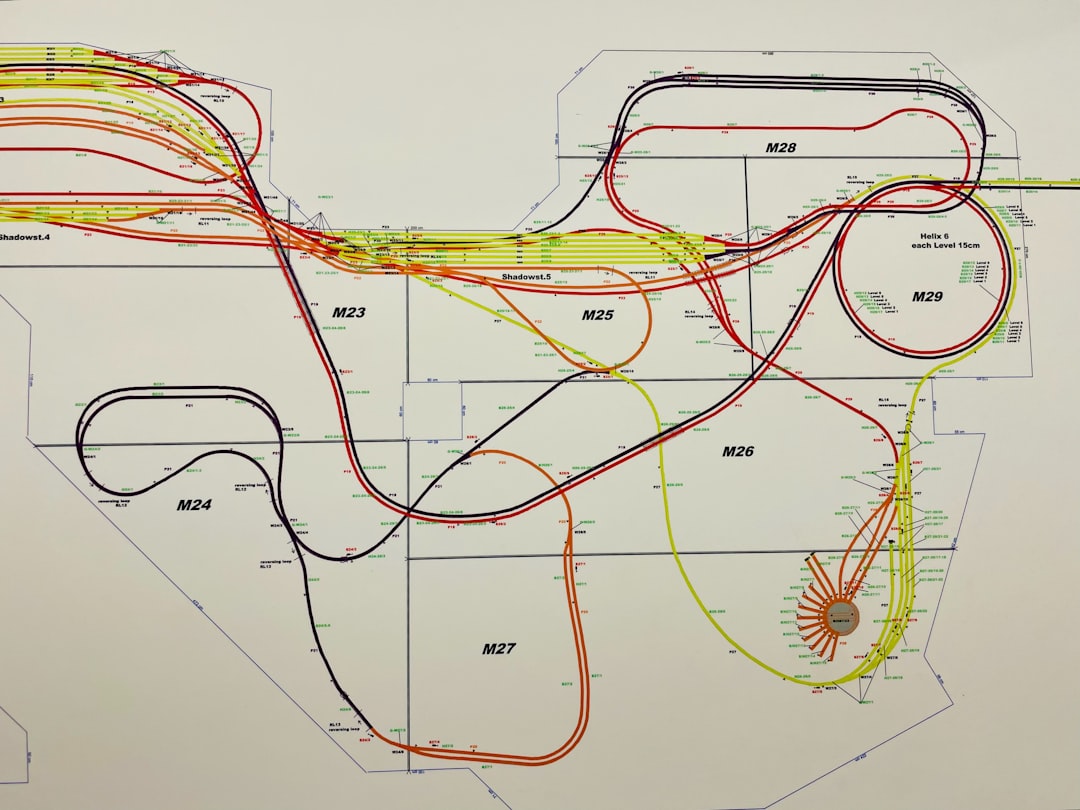
Critical path analysis provides strategic foresight. Instead of reacting to delays, teams can prioritize correctly from the outset. Basic to-do apps, by comparison, treat tasks as isolated units rather than interconnected components of a system.
5. Advanced Reporting and Performance Insights
In professional settings, productivity is not just about completing tasks; it is about measuring outcomes. Focus Projects 4 Pro includes reporting capabilities that convert raw task data into meaningful insights.
These include:
- Status summaries by project phase
- Burndown reports
- Time tracking comparisons
- Budget vs. actual cost analysis
- Exportable professional reports
Basic to-do apps usually provide minimal data—often limited to completed versus pending tasks. While useful for personal motivation, such metrics lack analytical depth.
Focus Projects 4 Pro allows stakeholders to evaluate performance trends, identify inefficiencies, and substantiate decisions with data. This transforms productivity management from reactive oversight into proactive governance.
6. Scalability for Long-Term and Large-Scale Projects
A fundamental limitation of basic to-do apps is scalability. They perform well with dozens of tasks but struggle with hundreds or thousands organized across multiple projects.
Focus Projects 4 Pro is engineered for complexity:
- Large project databases
- Multi-project dashboards
- Cross-project resource tracking
- Comprehensive filtering and categorization
As organizations grow or projects expand, the system remains stable and coherent. Users can maintain clarity even when managing parallel initiatives.
Basic apps often become cluttered over time. Lists grow longer, tags proliferate, and navigation becomes inefficient. Focus Projects 4 Pro preserves structural integrity regardless of scale.
Comparison Chart: Focus Projects 4 Pro vs Basic To-Do Apps
| Feature | Focus Projects 4 Pro | Basic To-Do Apps |
|---|---|---|
| Project Hierarchy | Multi-level phases, milestones, subtasks | Flat lists with limited subtasks |
| Gantt Charts | Full interactive Gantt timelines | Rare or unavailable |
| Task Dependencies | Structured dependency types and critical path | Manual or non-existent |
| Resource Management | Workload allocation and capacity tracking | Minimal assignment capabilities |
| Reporting & Analytics | Advanced exports, performance metrics | Basic completion tracking |
| Scalability | Designed for large, complex projects | Best suited for small personal lists |
When Basic To-Do Apps Are Still Appropriate
It is important to recognize that not all users require advanced project management features. For simple daily routines—shopping lists, reminder tracking, or individual goal-setting—basic to-do apps remain efficient and user-friendly. Their low learning curve and minimalist interfaces are strengths.
However, when projects require coordination, structured scheduling, accountability, and measurable results, limitations quickly become apparent. At that point, transitioning to a professional-grade solution becomes not a luxury but a necessity.
Final Assessment
Focus Projects 4 Pro distinguishes itself through depth, structure, and analytical capability. It treats productivity as a system rather than a checklist. By integrating hierarchy, visual planning, dependency mapping, resource control, performance reporting, and scalability, it supports serious project execution from conception to completion.
Basic to-do apps were designed for simplicity. Focus Projects 4 Pro was designed for complexity. The difference lies not merely in added features but in philosophy: one manages tasks, the other manages outcomes.
For professionals who value clarity, accountability, and long-term efficiency, the advantages are tangible and measurable. Choosing the right tool ultimately depends on the scale and seriousness of your objectives—but when projects demand precision and foresight, Focus Projects 4 Pro stands in a different category altogether.
