

If you play The Finals or plan to try it, you will need an Embark ID. This account connects your profile, linked platforms, and game progress in one place. In this guide, you’ll learn exactly how to create your Embark ID, verify your email, and link your Steam, PlayStation, or Xbox account step by step.
What Is an Embark ID?
An Embark ID is the official player account created by Embark Studios. It works as your main identity for games like The Finals. When you sign up, the system creates a secure account linked to your email address. This account manages authentication, platform linking, and profile settings. It allows you to connect your Steam account, PlayStation Network profile, or Xbox Live account to one central dashboard.
The login system verifies your credentials and generates a secure session so you can manage account data safely. Without an Embark ID, you cannot fully manage cross-platform connections or account settings tied to your gameplay.
You use your Embark ID on the official Embark Studios website and when linking your gaming platforms. It is separate from your Steam or console login, even though those accounts can be connected.
Why You Need an Embark ID?
An Embark ID helps you manage your player identity across platforms. It connects your Steam, PlayStation Network, or Xbox Live account to Embark Studios. This allows account synchronization and profile control in supported games like The Finals. You also need it for account recovery, password reset, and platform linking. If you ever change devices or reinstall the game, your Embark ID keeps your account information secure and organized.
How to Create Your Embark ID?
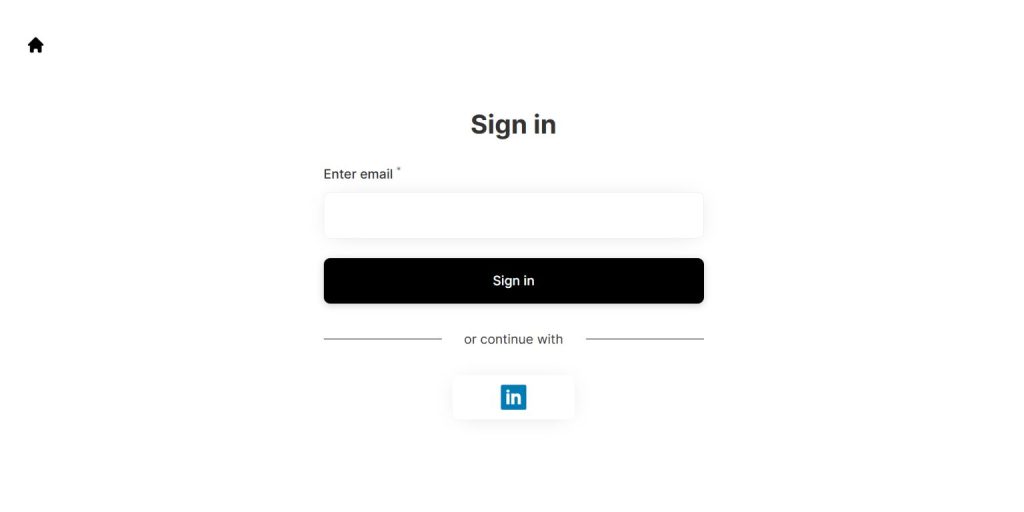 Creating an Embark ID is simple. You only need a valid email address and a secure password. The process happens through a web browser on PC or mobile. After registration, you must verify your email before the account becomes fully active.
Follow these steps:
- Visit the official Embark Studios website.
- Click on the Sign Up button.
- Enter your email address.
- Create a strong password.
- Accept the terms and privacy policy.
- Submit the registration form.
- Check your inbox for a verification email.
Once you confirm your email, your Embark ID is ready to use.
How to Verify Your Email Address on Embark?
Email verification confirms your identity and activates your account. Without verification, you may not be able to link platforms or access full account settings.
Here’s what to do:
- Open your email inbox.
- Find the message from Embark Studios.
- Click the verification link inside the email.
- Return to the Embark login page.
After this step, your account becomes fully active.
How to Link Steam, PlayStation, or Xbox to Your Embark ID?
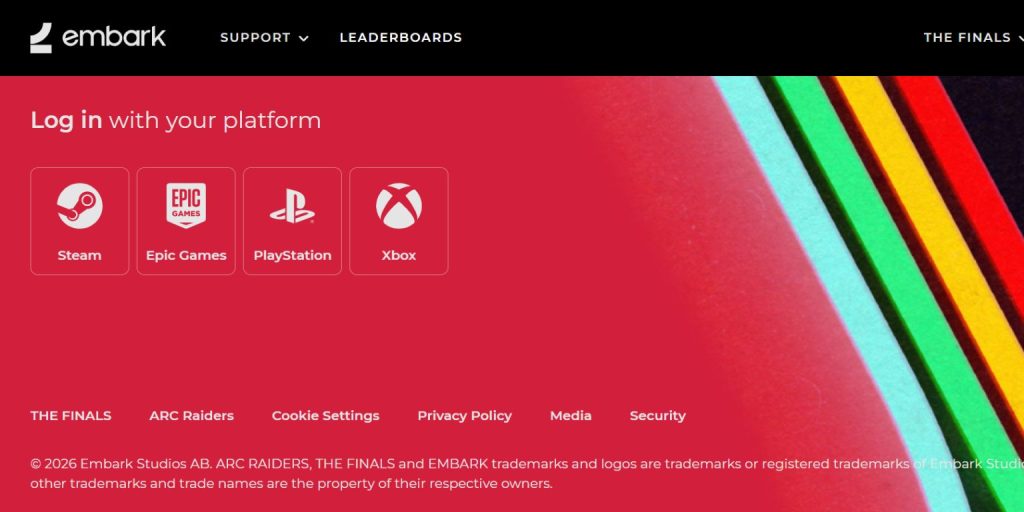 Linking your platform allows Embark Studios to connect your game access with your Embark profile. This uses a secure authorization process where you grant permission to sync your account. During linking, you will be redirected to your chosen platform login page. After signing in, you approve the connection request. Once confirmed, your platform becomes visible in your Embark account dashboard. This setup allows smoother identity management across devices and systems.
To link a platform:
- Log in to your Embark ID account.
- Go to Account Settings or Linked Accounts.
- Choose Steam, PlayStation Network, or Xbox Live.
- Sign in to the selected platform.
- Confirm the authorization request.
After linking, your account will show the connected platform.
Common Mistakes When Creating an Embark ID
Some players run into issues because of simple setup mistakes. Using the wrong email address is one common problem. Skipping email verification can also block account activation. Others confuse Steam login with Embark login and try signing in with the wrong credentials. Linking the wrong console account can also create confusion. Always double-check your email and platform before confirming account connections.
Security Tips for Your Embark ID
Account security protects your profile and linked platforms. A few basic habits help keep your Embark ID safe.
- Use a strong and unique password.
- Do not share your login details with anyone.
- Keep your recovery email secure.
- Log out from shared or public computers.
- Avoid using weak or repeated passwords across platforms.
Strong security reduces the risk of unauthorized access.
Conclusion
Creating your Embark ID is simple and important if you play games from Embark Studios like The Finals. The process includes signing up with your email, verifying your account, and linking your preferred platform such as Steam, PlayStation Network, or Xbox Live. Once set up, your Embark ID helps you manage account authentication and connected profiles in one place.
If you face any issues during setup, visit the official Embark Studios support page for assistance. If this guide helped you, feel free to share it with other players or leave a comment with your experience.
