

If you play The Finals or other games from Embark Studios, you’ll need an Embark login. Your account connects your game progress, linked platforms, and profile settings in one place. This guide explains how to create an Embark account, log in, link Steam or console profiles, reset your password, and fix common login problems.
What Is Embark Login?
Embark login is the account authentication system created by Embark Studios, the developer behind The Finals. It allows players to manage their profile, link gaming platforms, and control account settings from a central dashboard. When you sign in, the system verifies your email and password, then generates a secure session token so you can access your account safely.
This login process works through a web browser and connects your gaming platform, such as Steam, PlayStation Network, or Xbox Live, to your Embark profile. By linking platforms, players can manage cross-progression features and account data tied to their games. The login system helps maintain account security and ensures proper identity verification before accessing personal information.
You use Embark login on the official Embark Studios website and during account linking for The Finals. It is separate from Steam or console logins, even though those platforms can be connected to your Embark account.
How to Create an Embark Account?
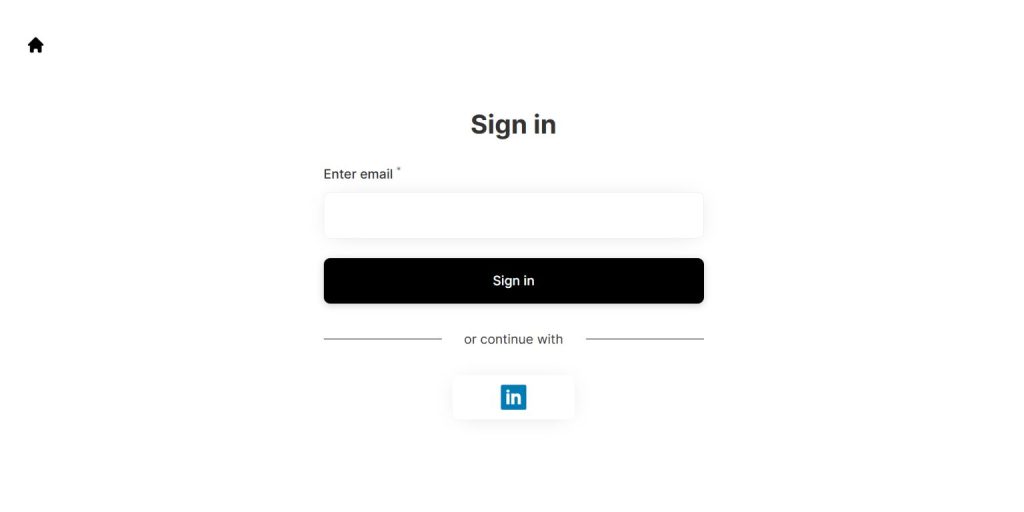 Before you log in, you must create an account through the official Embark Studios website. The sign-up process verifies your identity using an email confirmation step. Once verified, your account becomes active and ready for platform linking. Make sure you use a valid email address because you will receive authentication and recovery messages there.
Follow these steps to create an account:
- Visit the official Embark Studios website.
- Click the Sign Up option.
- Enter your email address.
- Create a strong password.
- Open your inbox and verify your email.
- Complete your profile information.
After verification, your Embark account is ready to use.
How to Log In to Your Embark Account?
Logging in gives you access to your account dashboard, linked platforms, and account settings. The process works through standard web authentication and secure session management. If your browser stores cookies properly, you stay signed in for a limited session period.
Here’s how you can log in:
- Open the Embark Studios website in your browser.
- Click Log In.
- Enter your registered email and password.
- Complete any email verification if prompted.
- Access your account dashboard.
Once logged in, you can manage profile settings and platform connections.
How to Link Steam, PlayStation, or Xbox to Embark?
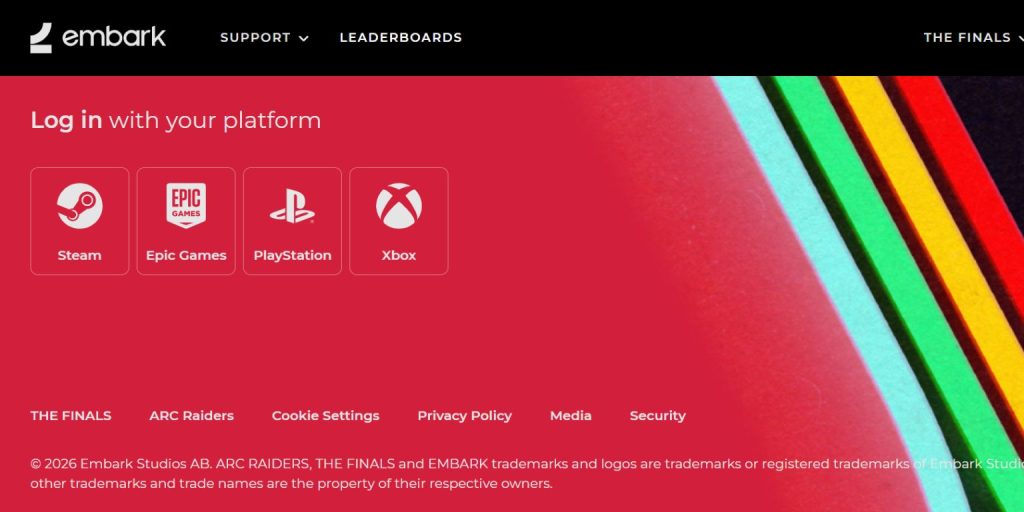 Linking your gaming platform allows Embark Studios to sync account data with The Finals. This connection uses an authorization process where you grant permission for your Steam, PlayStation Network, or Xbox Live account to connect with your Embark profile. When linking, the system redirects you to your platform login page. After successful verification, your account becomes connected, enabling cross-platform management and profile tracking.
To link a platform:
- Log in to your Embark account.
- Go to Account Settings or Linked Accounts.
- Select Steam, PlayStation Network, or Xbox Live.
- Sign in to the chosen platform.
- Confirm the authorization request.
Once linked, your platform appears in your account dashboard.
How to Reset Your Embark Password?
If you forget your password, the recovery process restores access through your registered email. Embark uses email verification to confirm your identity before allowing password changes.
Follow these steps:
- Click Forgot Password on the login page.
- Enter your registered email address.
- Open the recovery email sent by Embark Studios.
- Click the reset link.
- Create a new secure password.
- Log in again with your updated credentials.
Choose a strong password with letters, numbers, and symbols.
Common Embark Login Issues and Quick Fixes
Login problems sometimes happen because of simple configuration issues. Wrong passwords, expired sessions, or blocked browser cookies can interrupt authentication. In some cases, players try logging in with a platform account instead of their registered email.
Try these quick fixes:
- Double-check your email and password spelling.
- Clear browser cache and cookies.
- Disable browser extensions temporarily.
- Ensure your email address is verified.
- Confirm your Steam or console account is linked correctly.
- Restart your browser and try again.
If login still fails, check the official Embark support page for account assistance.
Security Tips for Your Embark Account
Account safety matters, especially when linked to gaming platforms. Strong security habits protect your personal data and in-game purchases.
Follow these tips:
- Use a strong and unique password.
- Do not share your login credentials.
- Avoid signing in on public computers.
- Keep your email account secure.
- Log out from shared devices.
Good security practices reduce the risk of unauthorized access.
Conclusion
Embark login connects your profile, linked gaming platforms, and account settings in one secure system. Whether you play The Finals on Steam, PlayStation, or Xbox, your Embark account helps manage authentication and profile data. Creating an account, logging in, linking platforms, and resetting your password are simple processes when you follow the correct steps.
If you still face login problems, contact Embark Studios support through their official website. If this guide helped you, share it with other players or leave a comment with your experience.
